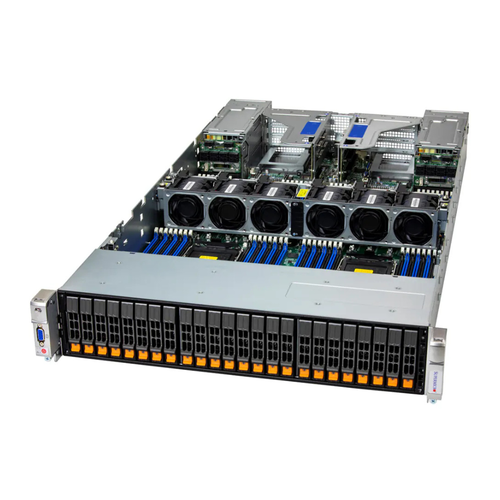
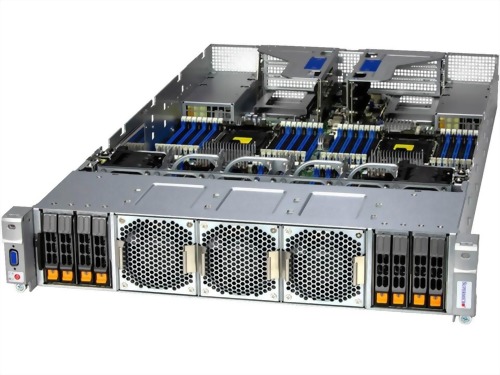
• SYS-240P-TNRT
  • SYS-240P-TNRT
  • SYS-240P-TNRT
  • SYS-240P-TNRT
  • SYS-240P-TNRT

SYS-240P-TNRT

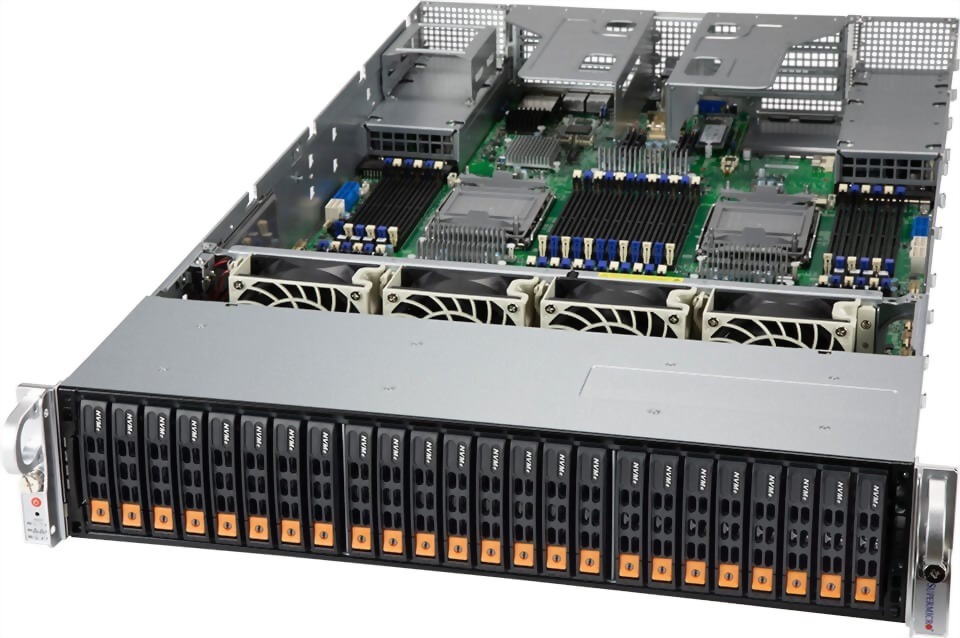
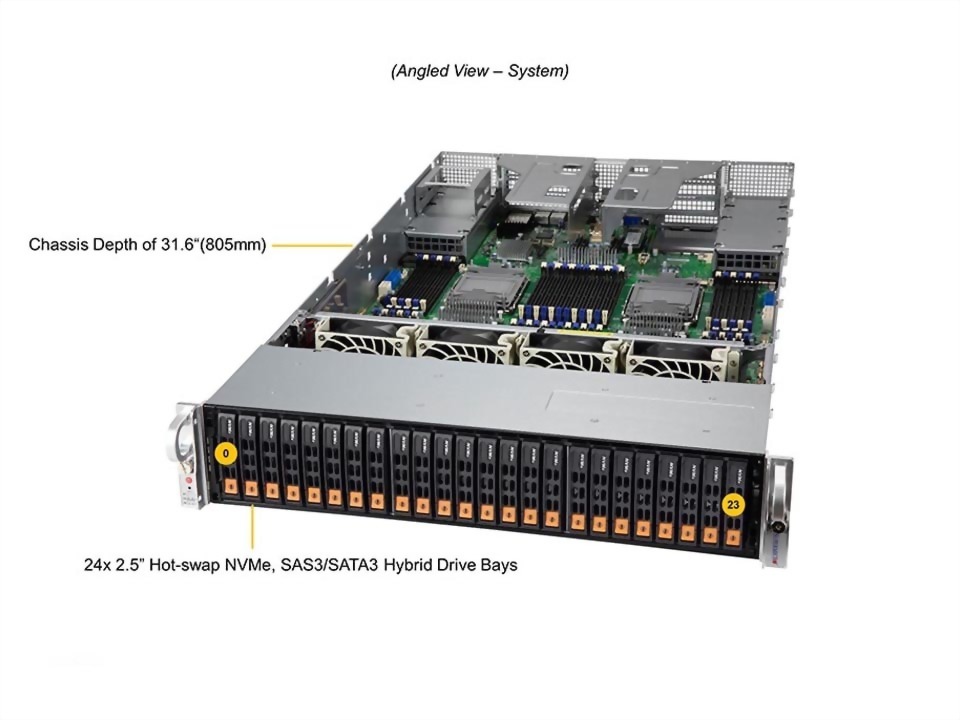
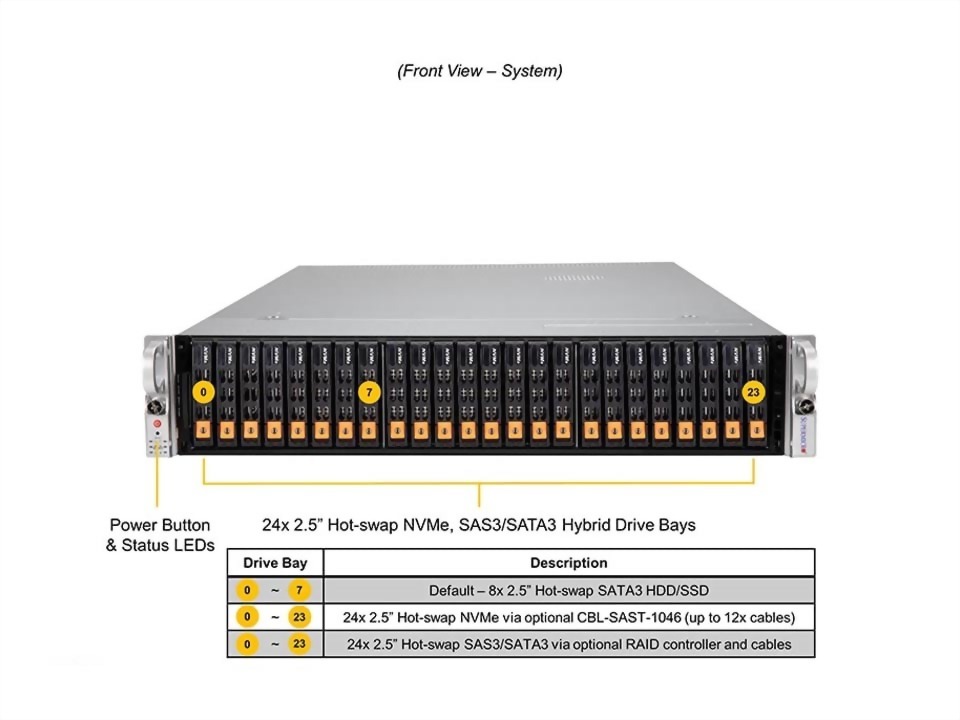
2U 4-socket system with 48 DIMMs and 24 NVMe/SAS/SATA drive bays
Model : SYS-240P-TNRT

Product SKUs
SuperServer SYS-240P-TNRT
Motherboard
Super X12QCH+
Processor
CPU
  • Quad Socket P+ (LGA-4189)
  • 3rd Gen Intel® Xeon® Scalable processors
Core Count
  • Up to 28C/56T; Up to 38.5MB Cache per CPU
Note
  • Supports 120W - 250W TDP CPUs (Air Cooled)
GPU
Max GPU Count
  • Up to 2 double-width or 2 single-width GPUs
Supported GPU
System Memory
Memory
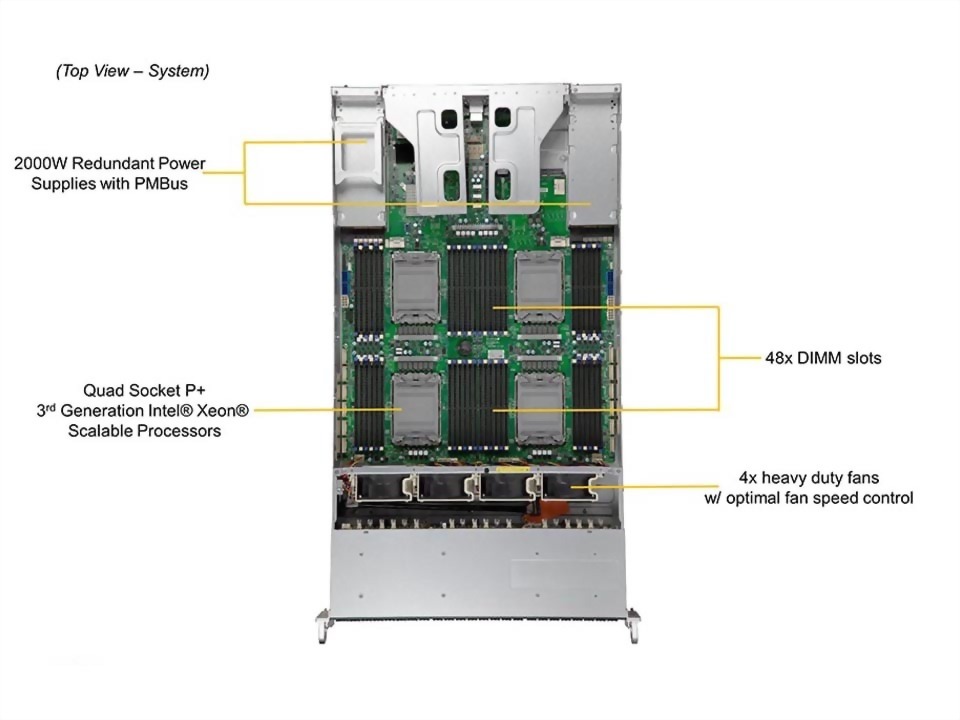
  • Slot Count: 48 DIMM slots
  • Max Memory (2DPC): Up to 12TB 3200MT/s ECC DDR4 RDIMM/LRDIMM
  • Supports Intel® Optane™ persistent memory 200 series
  • View Memory Options
Memory Voltage
  • 1.2V
On-Board Devices
Chipset
  • Intel® C621
Network Connectivity
  • 2 RJ45 10GBASE-T with Intel® X710-TM4
  • 2 SFP+ 10GbE with Intel® X710-TM4
  • View AOC Options
IPMI
  • Support for Intelligent Platform Management Interface v.2.0
  • IPMI 2.0 with virtual media over LAN and KVM-over-LAN support
Input / Output
LAN
  • 1 RJ45 1 GbE Dedicated BMC LAN port
  • 2 RJ45 10 GbE LAN ports
  • 2 SFP+ 10 GbE LAN ports
USB
  • 2 USB 3.0 ports(rear)
Serial
  • 1 COM port(Rear)
System BIOS
BIOS Type
  • AMI 32MB SPI Flash EEPROM
Management
Software
Power configurations
  • Power-on mode for AC power recovery
  • ACPI Power Management
Security
Hardware
  • Trusted Platform Module (TPM) 2.0
  • Silicon Root of Trust (RoT) – NIST 800-193 Compliant
Features
  • Cryptographically Signed Firmware
  • Secure Boot
  • Secure Firmware Updates
  • Automatic Firmware Recovery
  • System Lockdown
PC Health Monitoring
CPU
  • Monitors for CPU Cores, Chipset Voltages, Memory
  • 4+1 Phase-switching voltage regulator
FAN
  • Fans with tachometer monitoring
  • Status monitor for speed control
  • Pulse Width Modulated (PWM) fan connectors
Temperature
  • Monitoring for CPU and chassis environment
  • Thermal Control for fan connectors
Chassis
Form Factor
  • 2U Rackmount
Model
  • CSE-218HTS-R2K08P
Dimensions and Weight
Height
  • 3.5" (89 mm)
Width
  • 17.3" (439.5 mm)
Depth
  • 31.6" (803 mm)
Package
  • 9.75" (H) x 26.5" (W) x 43.5" (D)
Weight
  • Gross Weight: 71.5 lbs (32.43 kg)
  • Net Weight: 45.5 lbs (20.64 kg)
Available Color
  • Black
Front Panel
LED
  • HDD activity
  • Network activity
  • Power status
  • System information (overheat/UID)
Buttons
  • Power On/Off
  • UID/ BMC Reset (Default)
Expansion Slots
PCI-Express (PCIe) Configuration
  • Default
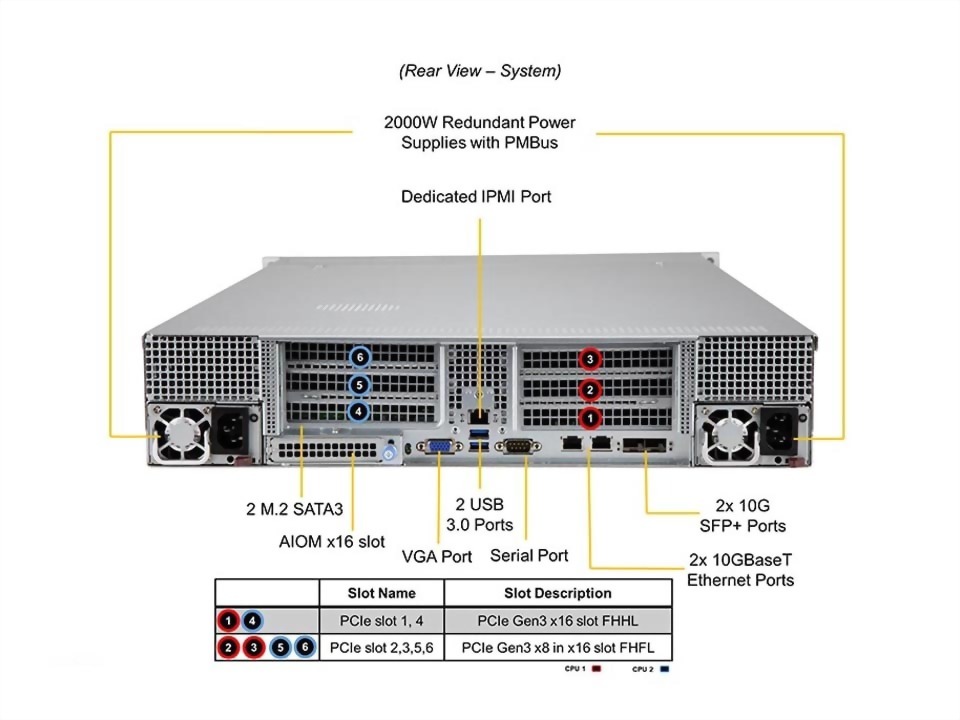
    • 2 PCIe 3.0 x16 FHHL slots
    • 4 PCIe 3.0 x8 (in x16) FHFL slots
    • 1 PCIe 3.0 x16 (in x16) AIOM slot (OCP 3.0 compatible)
  • View AOC Options
Drive Bays / Storage
Drive Bays Configuration
  • Default: Total 8 bays
    • 8 front hot-swap 2.5" SATA drive bays
  • Option A: Total 24 bays
    • 24 front hot-swap 2.5" NVMe*/SAS*/SATA* drive bays
  • (*NVMe/SAS/SATA support may require additional storage controller and/or cables, please see the optional parts list for details)
  • View NVMe Options
  • View Drive Options
M.2
System Cooling
Fans
  • Up to 4x 8cm heavy duty fans with optimal fan speed control
Air Shroud
  • 8 Air Shrouds
Power Supply
Operating Environment
ROHS
  • RoHS Compliant
Environmental Spec.
  • Operating Temperature: 10°C to 35°C (50°F to 95°F)
  • Non-operating Temperature: -40°C to 60°C (-40°F to 140°F)
  • Operating Relative Humidity: 8% to 90% (Non-Condensing)
  • Non-operating Relative Humidity: 5% to 95% (Non-Condensing)
  1. Quad Socket P+ (LGA-4189) 3rd Generation Intel® Xeon® Scalable processors
  2. 48 DIMMs; Up to 18TB 3DS ECC DDR4-3200:LRDIMM/RDIMM/Intel® Intel® DCPMM
  3. Intel® Ethernet Controller X710-TM4 2x 10G RJ45 + 2x 10G SFP+ port; (optional) AIOM up to 100G QSFP28
  4. Up to 24 Hot-swap 2.5" NVMe/SAS3/SATA3 drive bays (Default with 8 SAS3/SATA3 drive bays); Onboard 2x M.2 SATA.
  5. 4 heavy duty fans w/ optimal fan speed control; 1 Air Shroud

Related Products

SYS-242H-NR

SYS-242H-NR

SYS-241H-TNRTTP

SYS-241H-TNRTTP

SYS-242B-NR

SYS-242B-NR

SYS-681E-TR

SYS-681E-TR

SYS-241E-TNRTTP

SYS-241E-TNRTTP

SYS-440P-TNRT

SYS-440P-TNRT

line

透過行動條碼加入LINE好友

請在LINE應用程式上開啟「好友」分頁,點選畫面右上方用來加入好友的圖示,接著點選「行動條碼」,然後掃描此行動條碼。